FlickBack
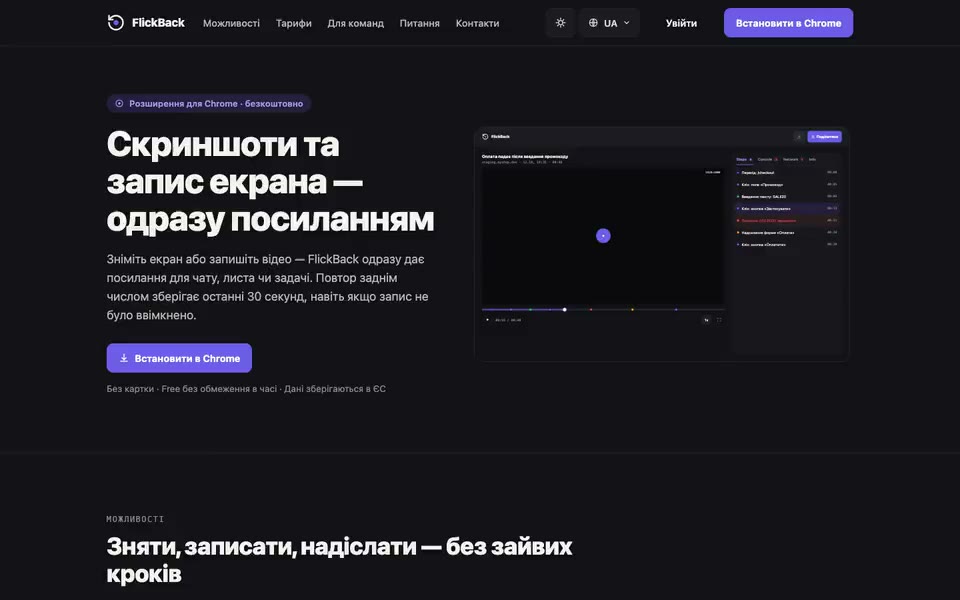
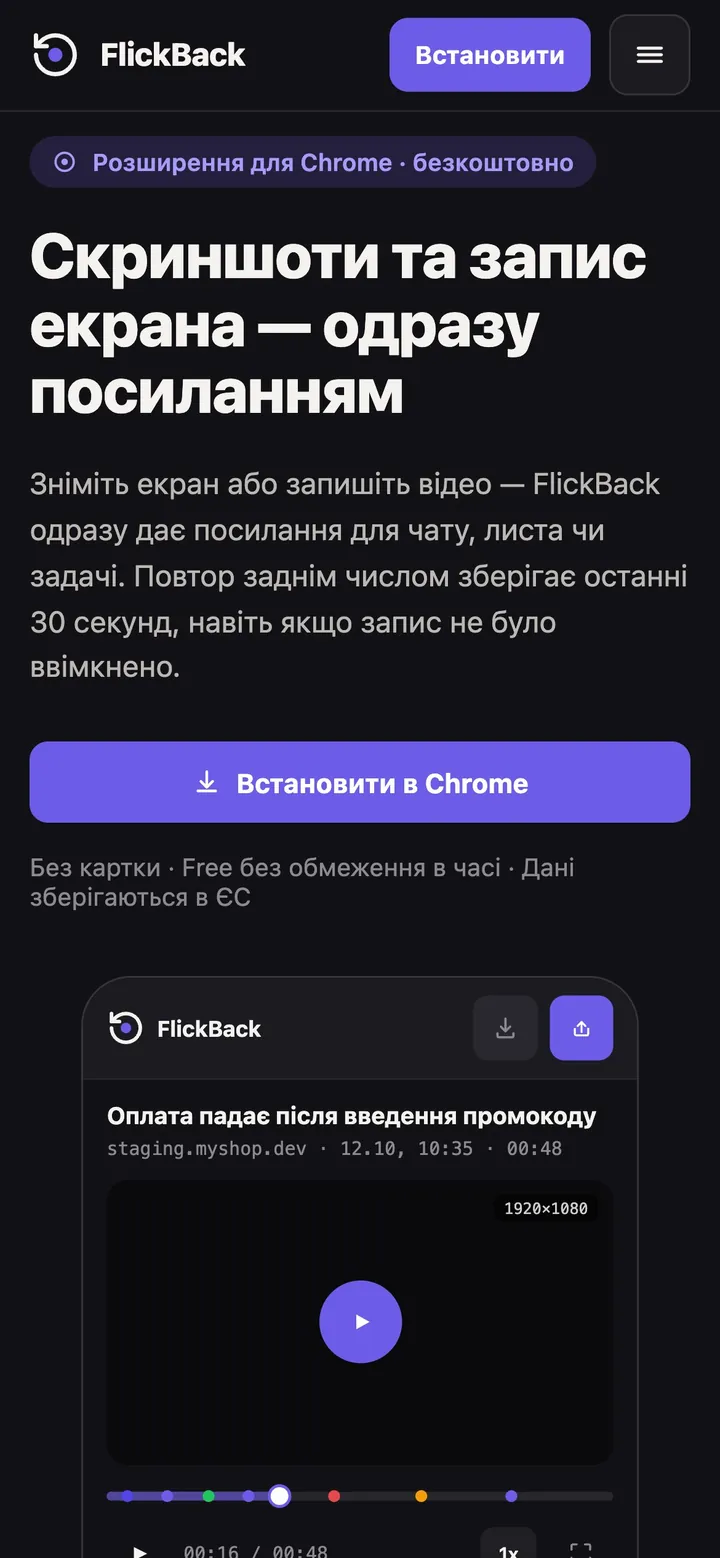
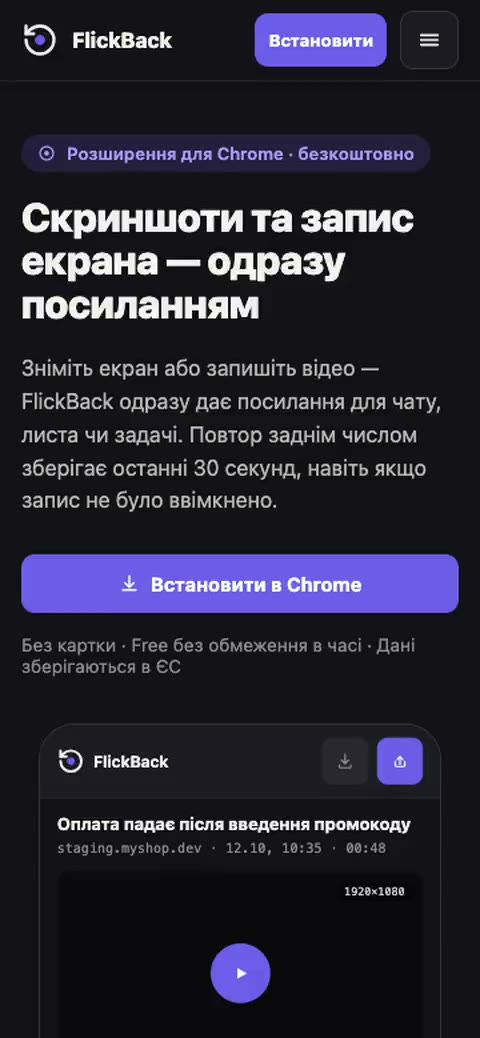
Own productA Chrome extension that shows a bug to the developer in one link, with no long write-up.
At a glance
- TaskA bug that is clear at first glance
- ResultIn the Chrome Web Store since October 2026
- What we builtExtension, backend, website and payments
- Websiteflickback.dev
What the user gets
01 / Recording
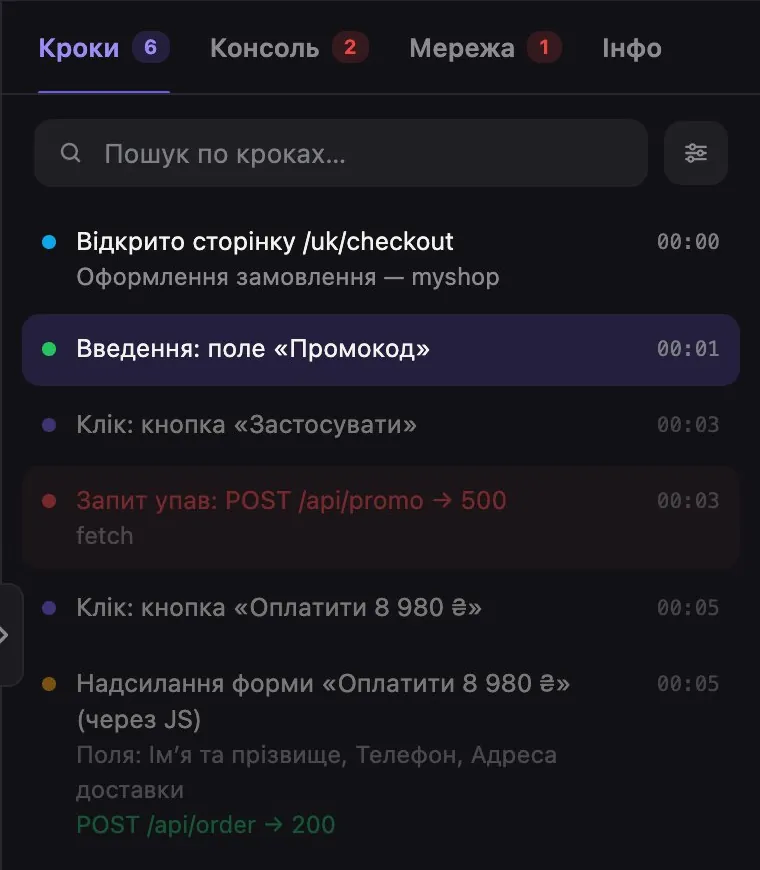
Every step before the bug is visible
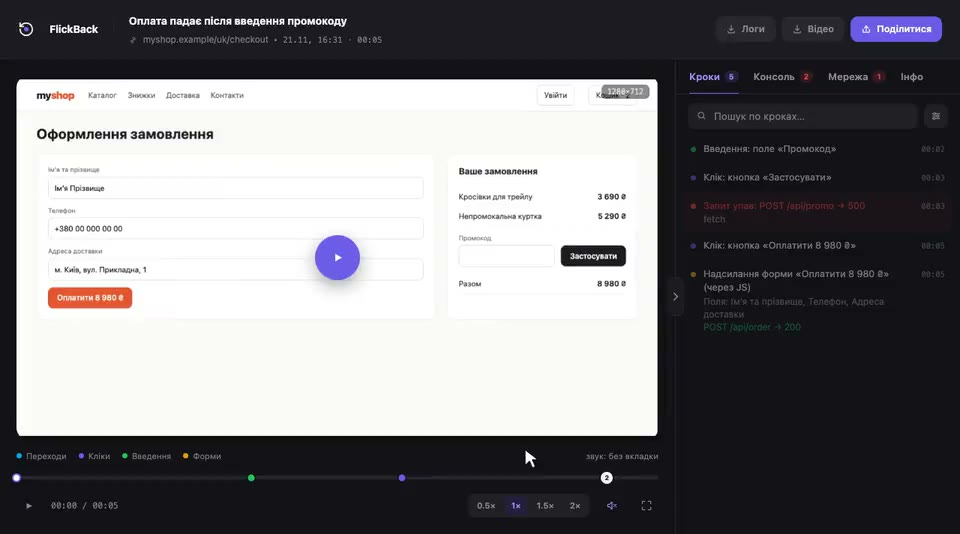
Screen video with every page change, click and input listed next to it with timestamps. The developer sees what happened without explanations.
How it works
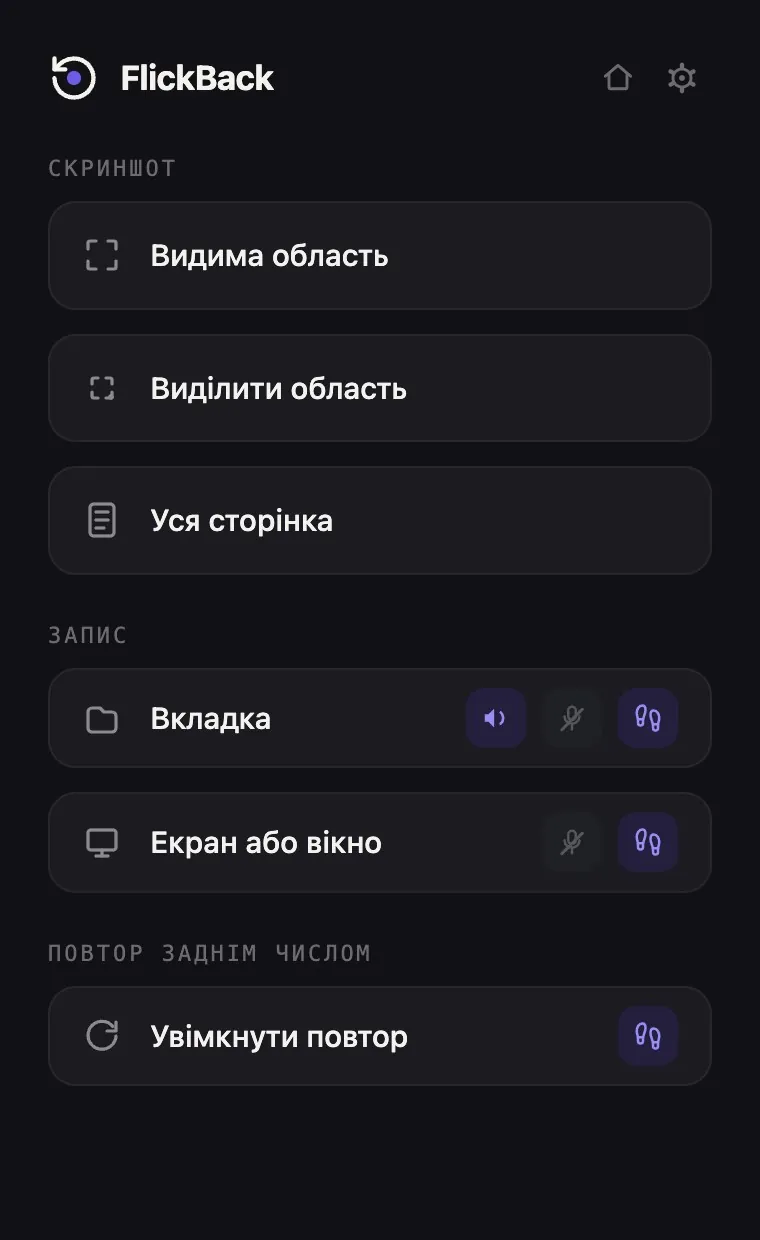
- Screenshot and recording with one key
- Replay of the last 30 seconds
- Steps on the timeline
02 / Network and console
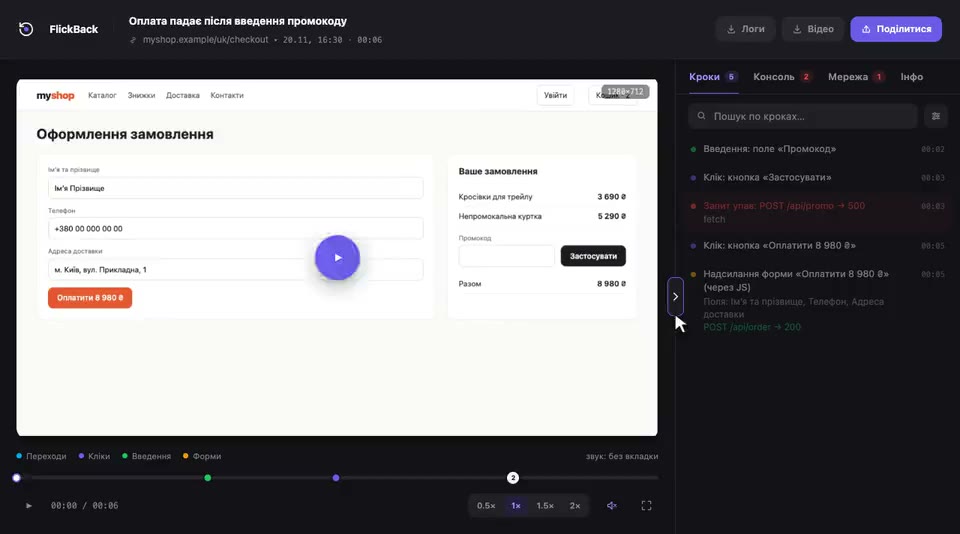
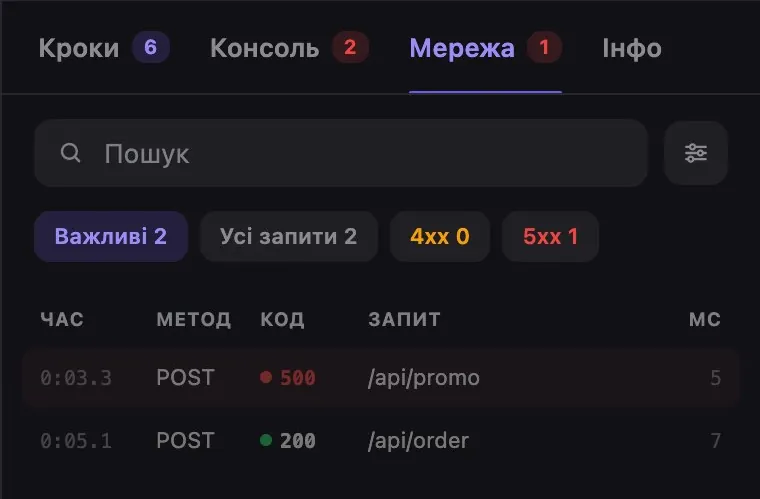
The cause, found right away
Requests with response codes and console errors next to the video. Server failures are highlighted.
What the developer sees
- Console errors
- Requests and response codes
- Search and filters
03 / Screenshot
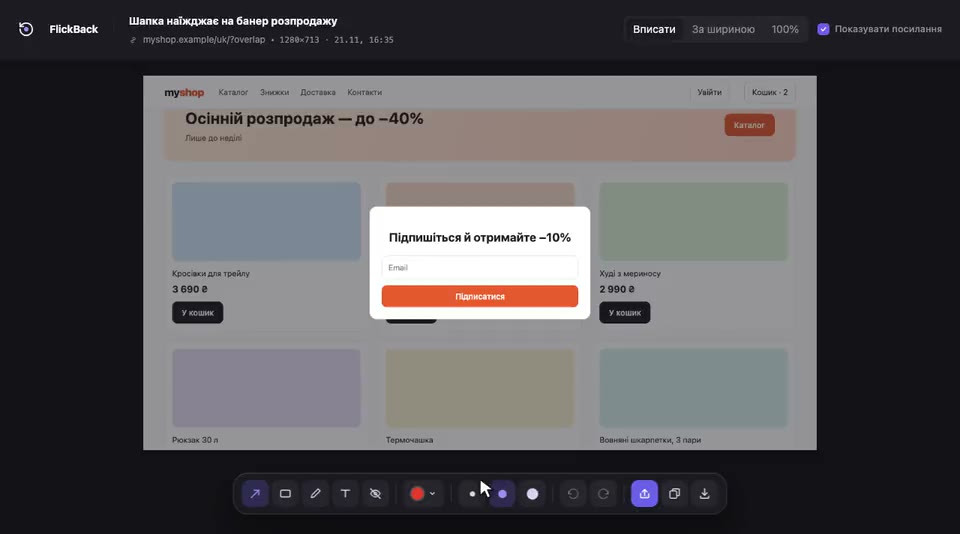
Mark up and share
Arrows, boxes, text and blur, then a single link that opens without signing up.
What you get
- Editor right in the browser
- Links that open without sign-up
- A library of all recordings
04 / Website and payments
A product people pay for
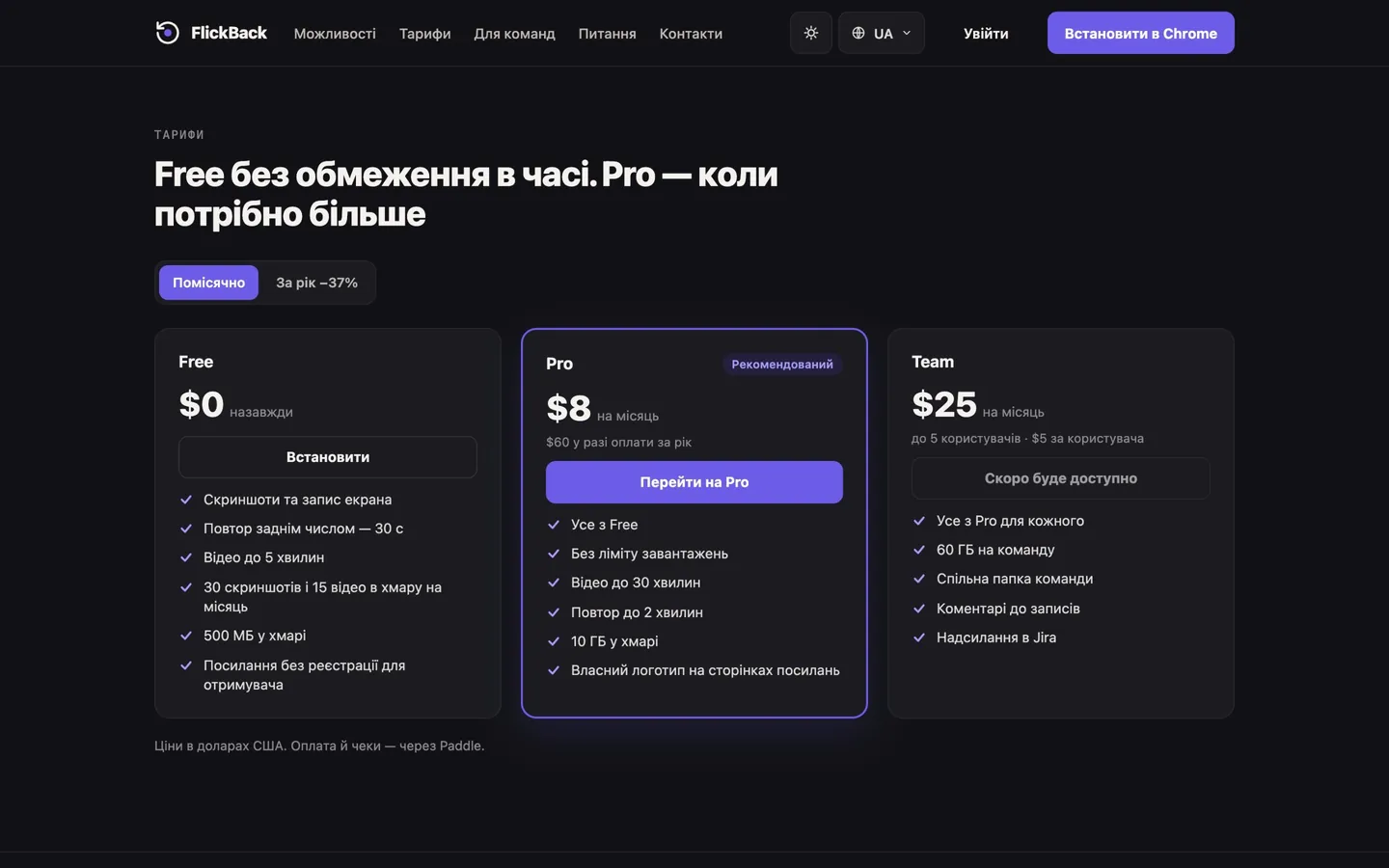
A website in two languages, Free, Pro and Team plans, payments and receipts through Paddle.
What the product includes
- Website in Ukrainian and English
- Pricing plans and online payments
- Sign in with Google
How we did it
We built FlickBack for ourselves. On every project the tester finds bugs, and they have to be shown to the developer so that no questions remain. A written description is long and imprecise, so we needed one link that shows everything.
That is how the Chrome extension came about: a screenshot, a tab recording and a replay of the last 30 seconds, after the bug has already happened. Each recording comes with the steps, the console and the network, so the developer sees both what was clicked and what the server returned.
Around the extension we built a full service: a library of recordings, a screenshot editor, a recording page that opens without signing up, a website in Ukrainian and English, Free, Pro and Team plans with payments through Paddle, and Google sign-in. Data is stored in the EU.
Since October 2026 FlickBack has been in the Chrome Web Store, and we use it on every studio project. So we know the product from both sides: how to build it and how to use it every day.
Result
A complete product, from idea to launch.
What it gives users
- The bug is clear without a long description
- One link, no sign-up
- The last 30 seconds are always saved
- Data is stored in the EU


Have an idea for your own product?
Tell us what you have in mind, and we will tell you where to start.